OpenInspect documentation
What OpenInspect does, how a session runs from prompt to pull request, and where each part of the product is documented.
OpenInspect is a background coding agent. You describe a piece of work, the agent runs it in an isolated cloud sandbox with a full development environment, and you come back to review the result: a response, a diff, and usually a pull request.
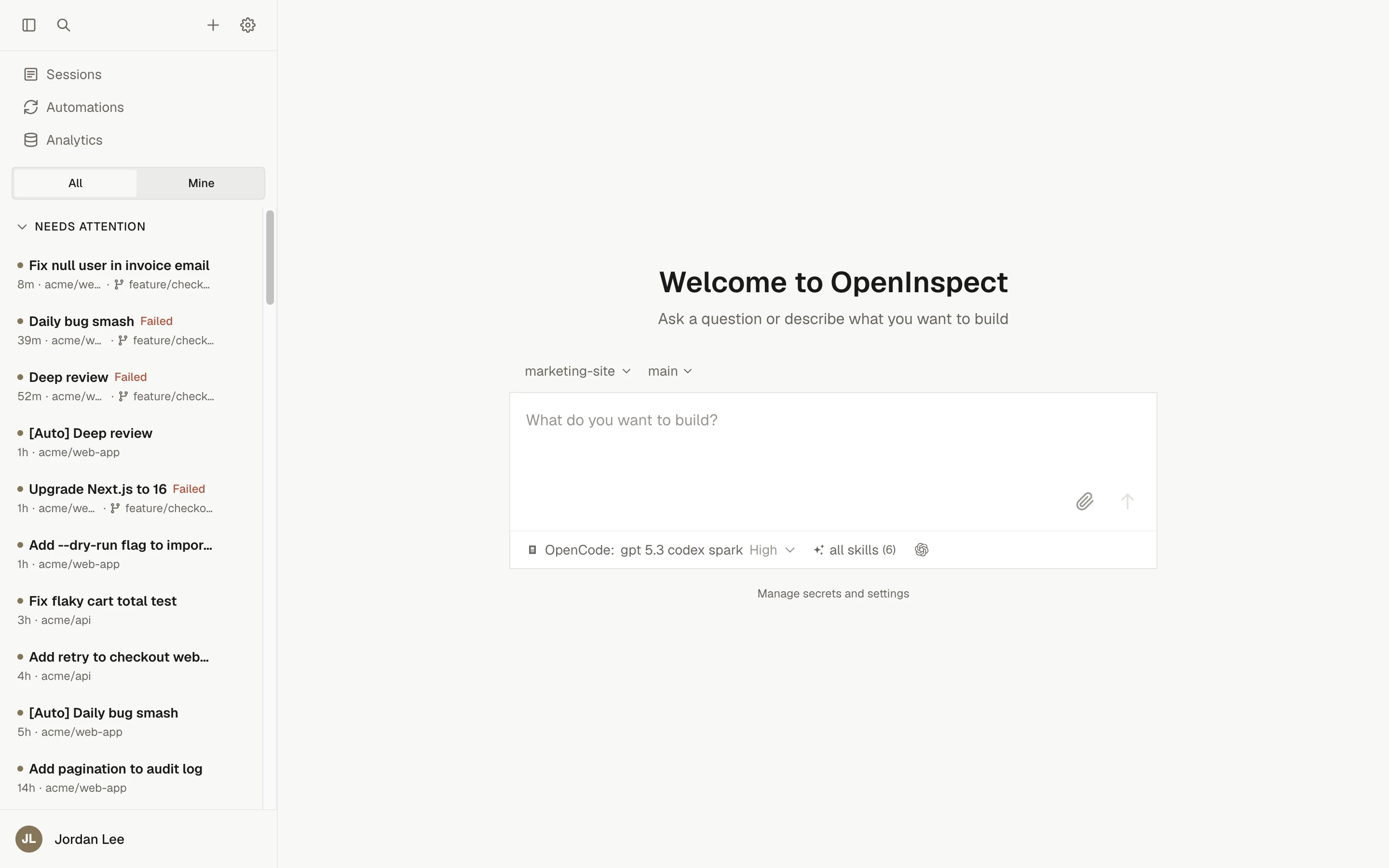
The agent does not need you to stay connected. Send a prompt from the web app, Slack, a GitHub pull request, a Linear issue, or an automation, close the tab, and check the session later. Several people can watch and prompt the same session at the same time, and every commit is attributed to the person who asked for it.
Start here
Quickstart
Sign in, start a session against a repository, and read the first result.
Your first pull request
Ask the agent for a pull request, see how it is created, and review it like any other.
Writing prompts that work
Give the agent a bounded task, the context it needs, and a definition of done.
Automations
Start sessions on a schedule or when a webhook, GitHub, Slack, or Sentry event arrives.
One lifecycle
Every session, whether it starts from the web composer, a Slack message, or an automation, follows the same path.
From your side, each session comes down to four actions:
- Choose a target: a single repository and branch, an ad-hoc set of up to 10 repositories, a saved environment, or no repository at all.
- Describe the work in one prompt: the goal, the constraints, and how the agent should prove it is done. Images can be attached.
- Review the timeline, the final response, and Changes (the diff compared with session start), plus the tests or screenshots the agent produced.
- Iterate: send another prompt on the same branch, ask for a pull request, or open the sandbox terminal and code server and finish the work yourself.
Capability map
| Area | What it covers | Start with |
|---|---|---|
| Sessions | The session page, follow-ups and stopping, reviewing diffs, sandbox tools, sharing, child sessions, statuses, and recovery. | Session page |
| Prompting | When to delegate, how to write a prompt the agent can finish, templates, and workflow recipes. | When to delegate |
| Configuration | Lifecycle scripts, environments, prebuilt images, secrets, sandbox settings, source control, skills, MCP servers. | Lifecycle scripts |
| Models | Choosing a model and reasoning effort, the two agent harnesses, and provider accounts. | Choosing a model |
| Automations | Sessions started by a schedule, an inbound webhook, a GitHub event, a Slack message, or a Sentry alert. | Automations |
| Integrations | Slack, GitHub (reviews, mentions, PR Feedback Autofix), and Linear. | Integrations |
| Administration | Workspace access and roles, the audit log, analytics, data controls, security, and deployment. | Workspace access |
Where people stay in control
The agent proposes changes; it does not merge them. Pull requests it opens are ordinary pull requests on your repository, authored as the person who asked for them when that person signed in with GitHub. Branch protection, required reviews, status checks, and your merge policy apply exactly as they do to a pull request a colleague opened. Every session is visible to the workspace, every prompt is attributed to its author, and administrators can read the audit log to see who did what.