Schedules
Schedule presets, custom cron expressions, timezones, next-run behavior, and how Trigger Now interacts with the schedule.
A Schedule automation fires on a cron cadence in the timezone you choose; this page covers the picker, the cron rules, and what happens around each firing.
Presets
The Schedule picker offers four presets and a custom mode. Every preset builds a standard cron expression for you.
| Preset | Runs | Controls |
|---|---|---|
| Every hour | Once per hour at the top of the hour | None |
| Daily | Once per day at the chosen hour | Hour picker (12-hour, AM/PM) |
| Weekly | Once per week on the chosen day and hour | Day of week (Monday to Sunday) and hour picker |
| Monthly | Once per month on the chosen day and hour | Day of month (1st to 28th) and hour picker |
| Custom | Any valid 5-field cron expression | Text input with live validation |
Below the controls the picker shows a plain-language description of the schedule and a Next run preview computed in the selected timezone. A new schedule automation defaults to 0 9 * * * (daily at 9:00 AM).
Custom cron expressions
Custom expressions use the standard five fields:
minute hour day-of-month month day-of-week| Expression | Meaning |
|---|---|
*/15 * * * * | Every 15 minutes |
0 9 * * * | Daily at 9:00 AM |
30 14 * * 1-5 | Weekdays at 2:30 PM |
0 9 * * 1 | Mondays at 9:00 AM |
0 0 1 * * | First of every month at midnight |
Rules enforced when you save:
- 15-minute minimum. Expressions that fire more often than every 15 minutes, such as
*/5 * * * *, are rejected with "Schedule interval must be at least 15 minutes". The check looks at the shortest gap between consecutive firings, so0,1 * * * *is rejected too. - Five fields only. Six-field expressions with a seconds column are not supported. The picker shows "Invalid cron expression. Use 5-field format (minute hour day month weekday)."
- The Create Automation and Save Changes buttons stay disabled while the expression is invalid.
Timezone
The Timezone field defaults to your browser's timezone when you create an automation. A "Common" group lists UTC and a dozen major zones; "All Timezones" lists every IANA zone and is searchable. The schedule is evaluated in this zone, so "9:00" means 9:00 local time there, including across daylight-saving changes.
Next-run recalculation
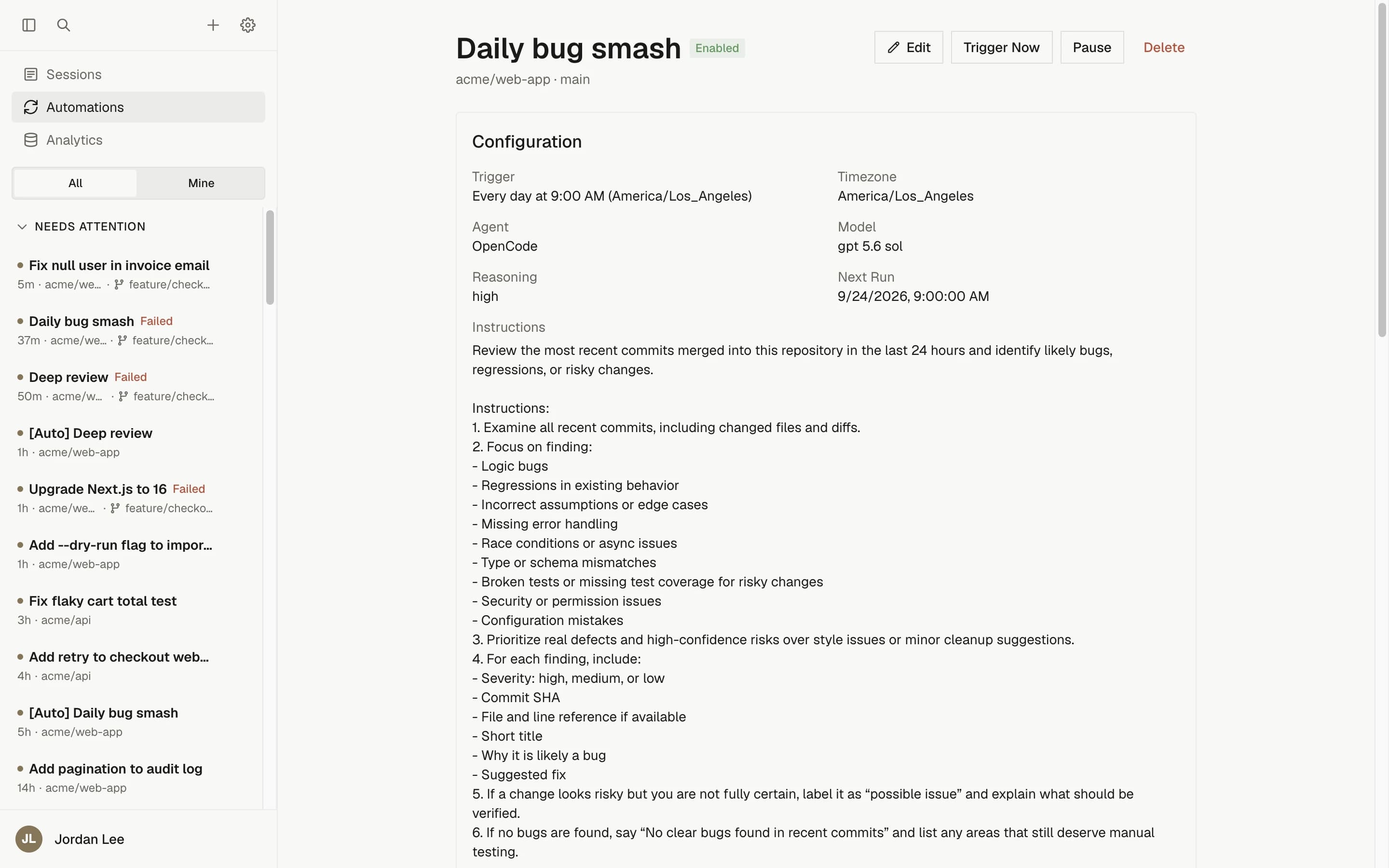
- Saving a change to the schedule or timezone recalculates the next run automatically.
- Resume on a paused schedule automation computes the next run from the current moment rather than catching up on missed slots.
- A schedule slot that comes due while a previous run is still active is skipped (see below) and the schedule advances to the following slot.
Trigger Now
Trigger Now on the detail page starts a one-off run immediately across the automation's full repository and environment selection.
- It does not move the next scheduled run; the cron cadence stays fixed.
- It is rejected with "A run is already active for this automation" when a run is in progress. Nothing is recorded for the rejected attempt.
- It works while the automation is paused, so you can verify a fix before resuming. A successful manual run resets the consecutive-failure counter without resuming the automation; a failed one counts toward auto-pause like any other run.
- It runs under the authority and identity of the person who clicked it, not the automation's owner.
One active run at a time
For scheduled and manual firings, only one run per automation can be active. When the schedule comes due during an active run, the firing is recorded in Run History as Skipped with the note "Skipped because a previous run is still active". Skipped firings never count toward auto-pause.
Event-driven triggers use per-event concurrency keys instead; see each trigger's page.
Multi-repository schedules
Schedule triggers are the only trigger type that accepts more than one target. Select up to 10 repositories and environments combined, and every firing fans out into one session per target, all launched concurrently. See Multi-repository automations.
Troubleshooting
| Symptom | Cause | Fix |
|---|---|---|
| "Schedule interval must be at least 15 minutes" | The expression fires more often than every 15 minutes, or its shortest gap is under 15 minutes | Use */15 or a slower cadence |
| The expression is rejected as invalid | It has six fields (seconds) or a syntax error | Use five fields; the placeholder 0 9 * * 1-5 shows the format |
| The next run is not when you expected | The timezone is set to a different zone than you assumed | Check the Timezone field; the Next run preview shows the resolved time |
| A firing shows as Skipped | The previous run was still active when the slot came due | Shorten the work per run, lengthen the interval, or check whether the earlier run is stuck via View session |
Next steps
Create your first automation
Build a weekly scheduled automation that opens a dependency-update pull request, test it with Trigger Now, and read its run history.
Inbound webhooks
Trigger an automation from any system with an authenticated JSON POST, filter payloads with JSONPath conditions, and deduplicate retries.