Secrets
Store API keys and credentials at global, repository, or environment scope and control which ones each session receives.
Secrets are environment variables (API keys, database URLs, service tokens) that OpenInspect injects into every sandbox launched from a scope, encrypted at rest and never shown again after you save them.
Scopes
| Scope | Applies to | Typical use |
|---|---|---|
| Global | All sessions | Keys every project needs, such as ANTHROPIC_API_KEY |
| Repository | Sessions launched from that repository, including sessions created by bots and automations | Project credentials such as STRIPE_SECRET_KEY or AWS_ACCESS_KEY_ID |
| Environment | Sessions launched from that environment | Credentials curated for a multi-repository environment |
Repository and environment secrets override a global secret with the same key. When you view a repository's secrets, inherited global keys appear in a read-only "Inherited from global scope" section with a Global badge, and a global entry that has been overridden shows which scope overrode it.
Global and repository secrets live under Settings › Secrets. Environment secrets live on the Secrets tab of each environment under Settings › Environments.
Which secrets a session receives
A session receives the global secrets plus the secrets of its session target, which is whatever you picked when you created the session.
| Session target | Secrets injected |
|---|---|
| Single repository (web picker, Slack, GitHub, Linear) | Global + that repository's secrets |
| Environment | Global + that environment's secrets only. Repository secrets of the repositories inside the environment do not flow in. |
| Ad-hoc multi-repository session ("Multiple repositories" in the picker) | Global + each selected repository's secrets. On a key collision the primary repository (first in the list) wins. |
Precedence, from the session target to the sandbox environment:
Environments are curated on purpose: a key added to a repository never silently lands in every environment that contains it. To reuse a repository secret in an environment, import it (below) or move it to global scope. The new-session picker states this when you select an environment or multiple repositories.
Adding secrets
Open the scope
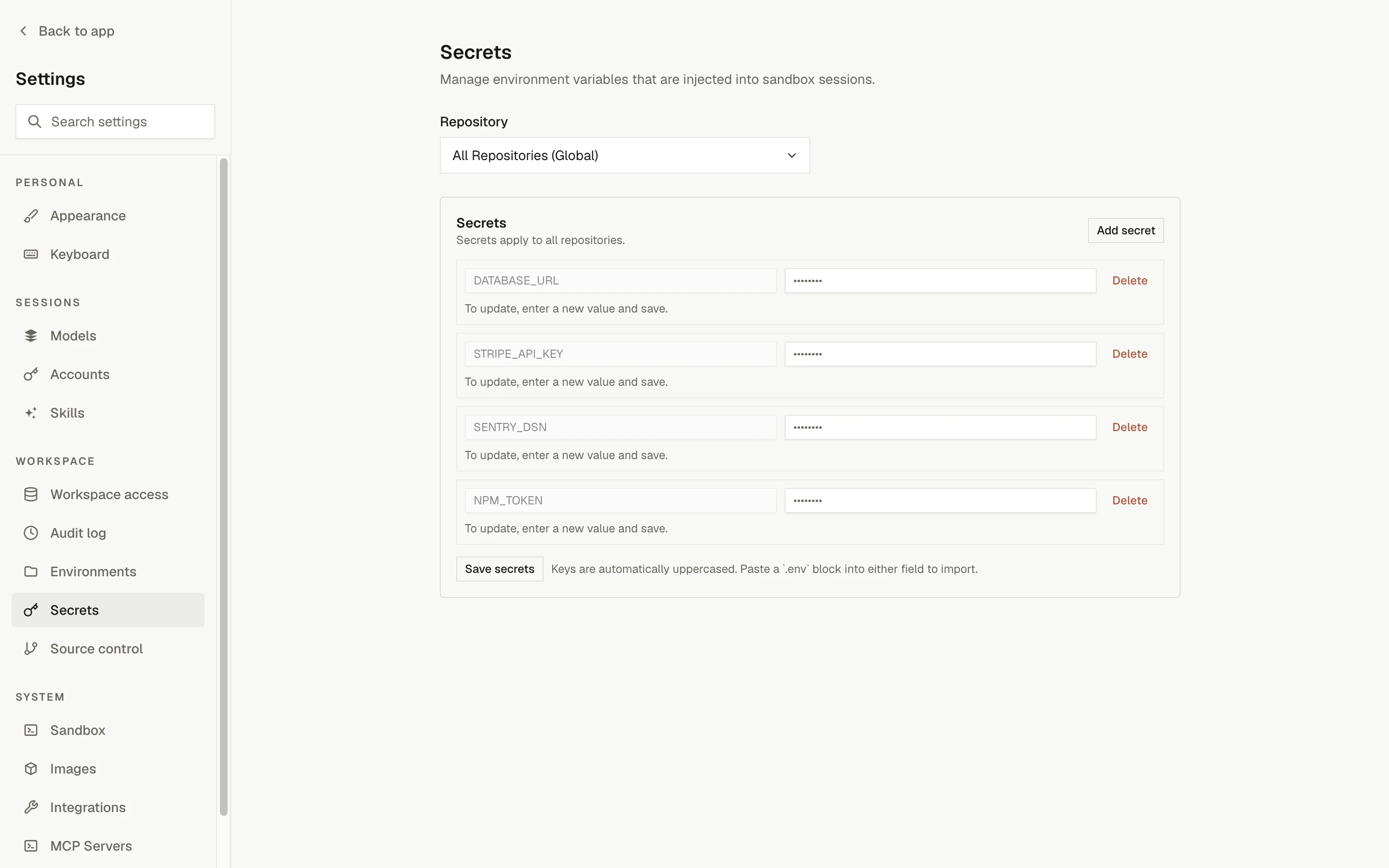
Go to Settings › Secrets. In the scope dropdown, pick "All Repositories (Global)" or a repository. For an environment, go to Settings › Environments, open the environment, and switch to its Secrets tab. The editor works the same way in every scope.
Add a row
Click Add secret, then enter a key and a value. Keys are automatically uppercased when saved, so my_api_key becomes MY_API_KEY.
Save
Click Save secrets. The next sandbox launched from that scope has the secret available as an environment variable.
Paste a .env file
Paste a .env-formatted block (KEY=value lines) into any input field. OpenInspect parses it and populates one row per key. Reserved keys in the pasted block are skipped and reported.
Update a secret
Existing values are masked (••••••••). To change a value, type the new value into the field and save. Leave the field empty to keep the current value.
Delete a secret
Click Delete next to the row and confirm.
Importing repository secrets into an environment
On an environment's Secrets tab, use "Import from a repository": pick a source repository that belongs to the environment, select the keys, and click Import. Values are copied server-side and never displayed.
Imports are copies
If you later rotate the value on the repository, the environment keeps the old copy. Re-import the key or update the environment secret directly.
Limits
| Constraint | Limit |
|---|---|
| Secrets per scope | 50 |
| Key length | 256 characters |
| Value size | 16 KB |
| Total value size per scope | 64 KB |
| Combined size per session | 128 KB (global + session target, after merging) |
| Key format | [A-Za-z_][A-Za-z0-9_]* (letters, digits, underscores) |
If the merged payload for a session or an image build exceeds the combined cap, the spawn fails with an error that attributes bytes to each contributing scope so you know what to trim. This mostly matters for multi-repository sessions, where several repositories' secrets fold into one sandbox.
Reserved keys
These keys are used by the system and cannot be saved as secrets. The editor shows a validation error if you try.
PYTHONUNBUFFERED  SANDBOX_ID  CONTROL_PLANE_URL  SANDBOX_AUTH_TOKEN
REPO_OWNER  REPO_NAME  GITHUB_APP_TOKEN  SESSION_CONFIG
RESTORED_FROM_SNAPSHOT  OPENCODE_CONFIG_CONTENT
PATH  HOME  USER  SHELL  TERM  PWD  LANG
Security
- Values are encrypted with AES-256-GCM before they are stored.
- Values are never returned by the API after saving. Only key names are visible in the browser.
- Secrets are decrypted at sandbox creation time and injected as environment variables.
- System variables set by the control plane always take precedence over user-defined secrets with the same name.
Provider accounts are separate from secrets. OpenAI and xAI subscription credentials belong under Settings › Accounts, not in Secrets; their tokens stay in the control plane and are never injected into sandboxes. When a session runs in account mode, that provider's API key is removed from the sandbox environment so the runtime cannot bypass the selected subscription. API-key mode keeps using ordinary global, repository, or environment secrets. See provider accounts.
Secrets and prebuilt images
Image builds run .openinspect/setup.sh with the same secrets a session gets, so anything the script writes to disk is captured in the image and outlives a rotation. Read secrets from the environment at runtime instead. See Secrets and images for which secret changes trigger a rebuild.
Common examples
| Key | Scope | Purpose |
|---|---|---|
ANTHROPIC_API_KEY | Global | Claude models (unless the deployment configured a fleet-wide key; a global secret takes precedence over it) |
OPENAI_API_KEY | Global | OpenAI models when a session selects API-key mode |
XAI_API_KEY | Global | xAI models when a session selects API-key mode |
DEEPSEEK_API_KEY | Global | DeepSeek models |
ZHIPU_API_KEY | Global | Z.AI Coding Plan GLM models |
OPENCODE_API_KEY | Global | OpenCode Zen and OpenCode Go models |
DATABASE_URL | Repository | Database connection string |
AWS_ACCESS_KEY_ID | Repository | AWS credentials for one project |
STRIPE_SECRET_KEY | Repository | Stripe key for one project |
Troubleshooting
Next steps
Prebuilt images
Enable prebuilt images for a repository or an environment so sessions start from an artifact that already has the code and dependencies in place.
Sandbox settings
Configure ports, resources, timeouts, child-session limits, and cost limits for sandboxes globally, per repository, or per environment.